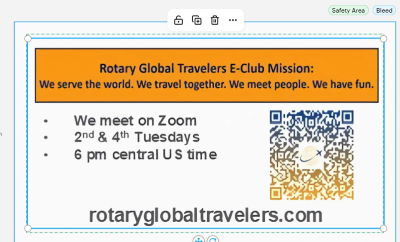
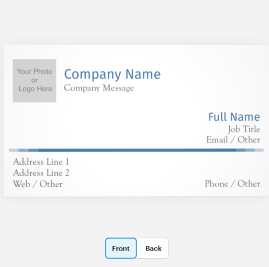
Several members have told us they would like to have Global Travelers business cards, especially when they attend Rotary events. We haven’t found a perfect turnkey solution, but ordering from vistaprint is fairly simple and economical. In this article, we’ll take you through the steps to create a personalized card.


Before you start
Go to Our Club Identity and Branding page and download both the club logo and the business card back.

Customize your business card on vistaprint
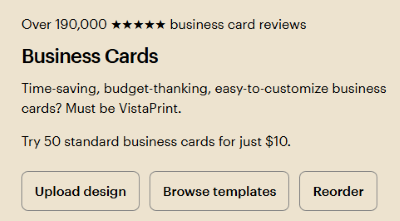
1 — From the vistaprint business card page, select Browse templates.
2 — On the templates page, select the first “standard template,” shown on the page. When you click it, you should see a larger version of the card, like the one in the image.
3 — Click “Edit design” on the lower right part of the display.
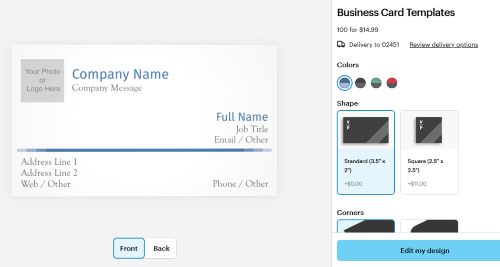
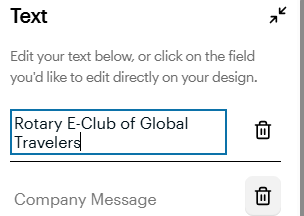
4 — In the Company Name field, type “Rotary E-Club of Global Travelers”
5 — Click the small garbage pail to delete the Company Message field.
6 — Click on “Your Photo or Logo Here” and upload the Global Travelers logo and upload the logo that you downloaded from our Branding page.

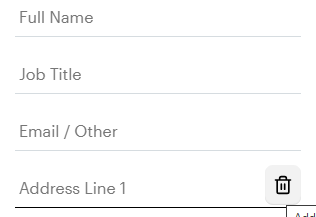
7 — Fill in your name and other information you want on the card. Use the little garbage can to delete and fields that you don’t want on the card. We suggest that you include email address and phone number but not your home address.
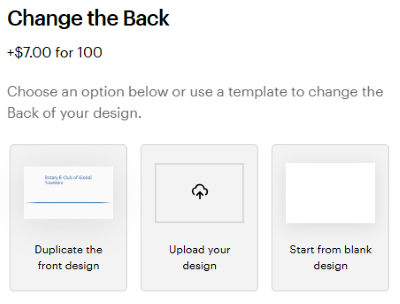
8 — If you want a two-sided card, select the small icon on the right that says “Back.”
9 — On the “Change the Back” display, select “Upload your design.”
10 — On the next display, upload the image of the back of the card that you downloaded from our Identity and Branding page.
11 — If necessary, use the circles at the corner of the image to resize it to fit in the “Safe Area.”
12 — Select “Preview” at the top right of the screen to see how your card looks.
13 — Select “Next” at the top right. You’ll be asked to review and approve your design.
14 — Proceed to the order completion information where you pick what kind of card stock you want and how many cards you want.
You did it!